
The Extended Shopper Profile (ESP) is a way for you to get additional information about your shoppers.
Get started on the main Admin Page.

Since the ESP is applicable to all shoppers, there is no need to select a Client and a Survey. Simply use the QuickJump bar and look up ESP, or Extended Shopper Profile.
The ESP page looks just like the regular survey creation page, and you can add the questions in the same manner you do when dealing with the usual surveys.
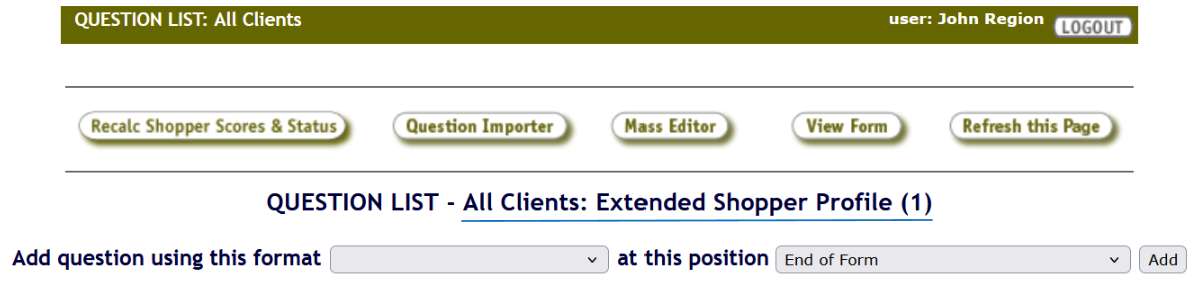
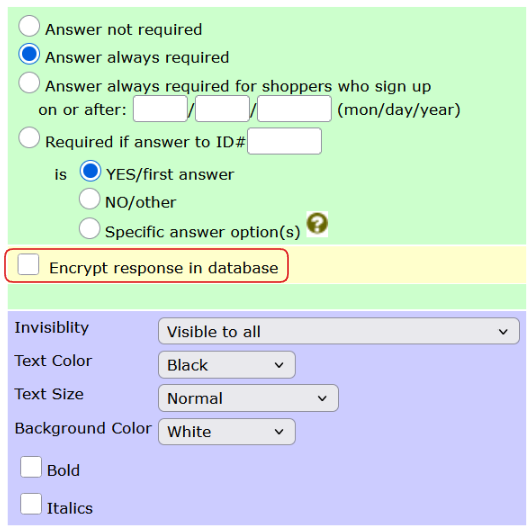
The added questions can, just like with the regular surveys, have scoring, requirements, and you can even change the visibility and formatting.
 Audio and video uploads are the two question types that are not supported with the ESP.
If required, Text, Narrative, and Number question types can be encrypted using the Encrypt response in database checkbox.

For SSN/TIN and the collection of other Personally Identifiable Information, please use the encrypted fields on the Shopper Profile instead!
Remember you can always reach out by opening a support tracker, so please let us know if you have any questions or concerns.
Shoppers are able to see the status of their ESP on the Shopper Profile page.
If the ESP is up to date, the status will be set to Current, but they will be able to update the answers whenever they want to.

However, if the shopper did not answer the ESP questions, or you made an update which requires the shopper's attention, the status will be set to NOT CURRENT, and the shopper will need to update the answers to the required questions before they are able to apply for any shops.

You can use Shopper Announcement widget to let the shoppers know of any ESP requirement updates as well!
To easily find the shoppers based on their ESP status and ESP question filter, you can use the Shopper Export utility.