
The option to recalculate shops is available when the system has detected a change to the survey that may affect the scoring of existing shops.
Get started at the main Admin page.
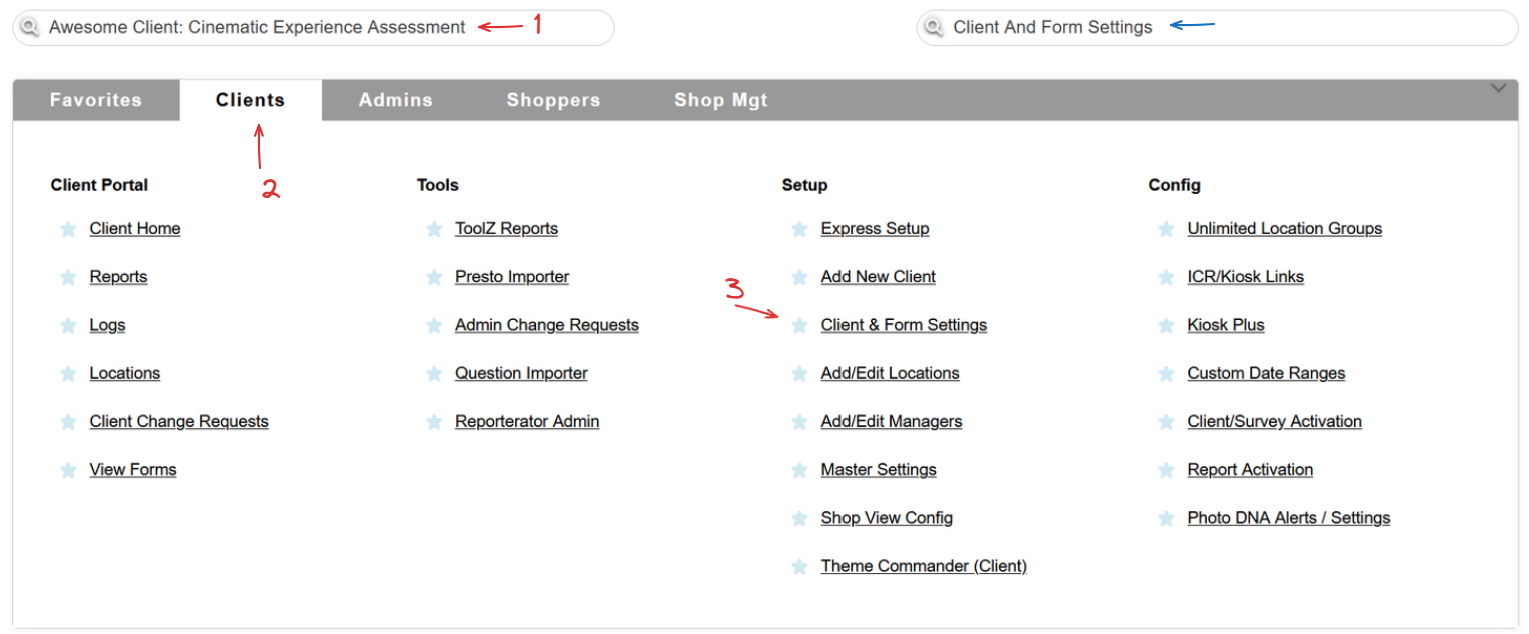
Select a client, head to the Clients tab and use the Clients & Form Settings link in the Setup column, or simply use the Quick Jump bar!
Once on the Client & Form Settings page, use the Access Recalc button next to the Form Settings column.

The button will be available only for surveys for which the recalc can be performed. This process will not calculate scores for shops that have not yet been through the review process.
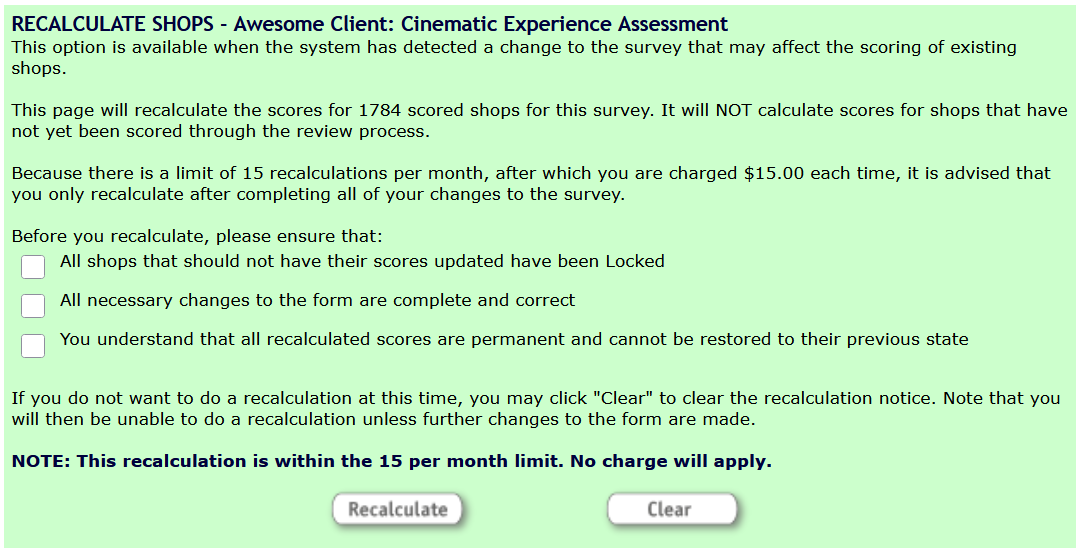
The survey recalculation page will let you know how many shops will get recalculated and what the fee might be, if there is one.

Before you use the Recalculate button, please ensure that all changes to the form are complete and correct, and that all shops that should not have their scores updated have been put into the Locked status.
 If you need to make changes to your shops but are not sure what the best way to go about it would be, please open a Support Tracker and let us know what you need!