
Here are the steps you will need to take to use the Vimeo video customisation.
Please keep in mind that Vimeo might make updates to their settings, so it might be possible that some of the options have been changed visually or the options have been updated/moved.
You will need to have, or create, an account on the Vimeo side.
If you encounter any issues with the setup, please contact us through the tracker and include screenshots so we can assist you more effectively.
API tokens
1. Go to https://developer.vimeo.com
2. Use the Create an app button in the upper right corner of the window.

3. In the next step, select the first option (No. The only Vimeo accounts that will have access to the app are my own.)

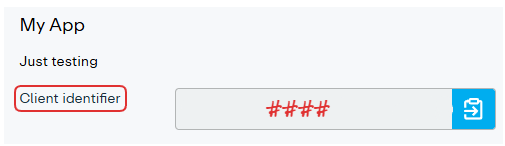
4. In the App you created, retrieve the Client Identifier. This is one of the three codes you will need to send to our Support team.
5. In the Permissions section, select the "Upload to your own account" permission.
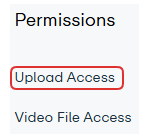
For newer accounts, it might take a bit for Vimeo to approve the selection.
6. The Access Token and Client Secret values are the other two part of keys you will need to forward to us.
The only checkboxes that need to be marked are Public, Private and Upload.
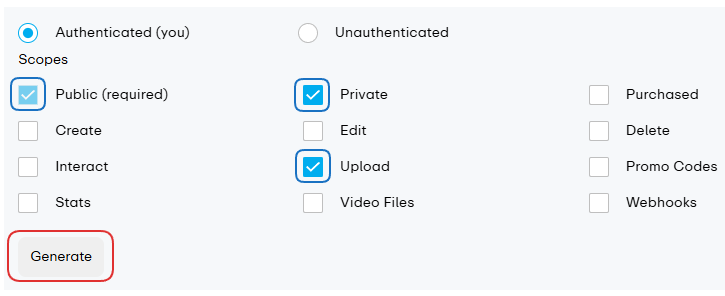
Use the Generate button to generate the Access Token and Client Secret values.
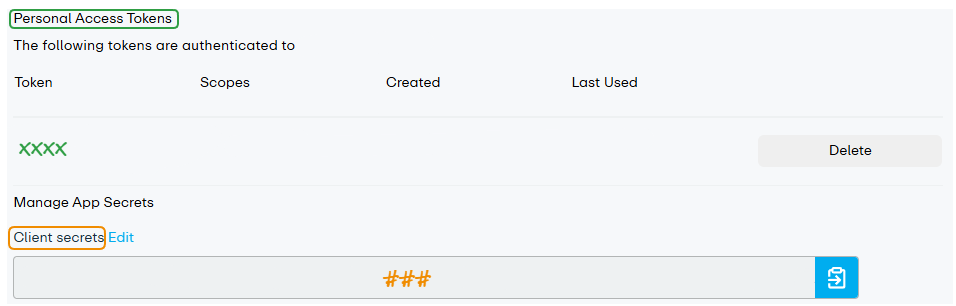

You need to send us the Client Identifier, Access Token and Client Secret values in the tracker. These are needed for the customization to work.
General settings
On the https://vimeo.com/settings/account/general page, you can set up certain settings for your Vimeo account.
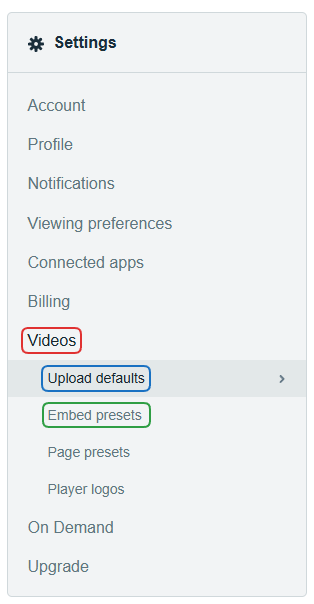
There are quite a few options you can edit, but we'll focus on the Videos preferences.
Under the Embed Presets tab you can customise the appearance and behaviour of the video player. These options will translate to Sassie, and will affect the video player displayed in the Chameleon Shop View.
Edit some of the options in the Upload defaults tab, the Privacy section.
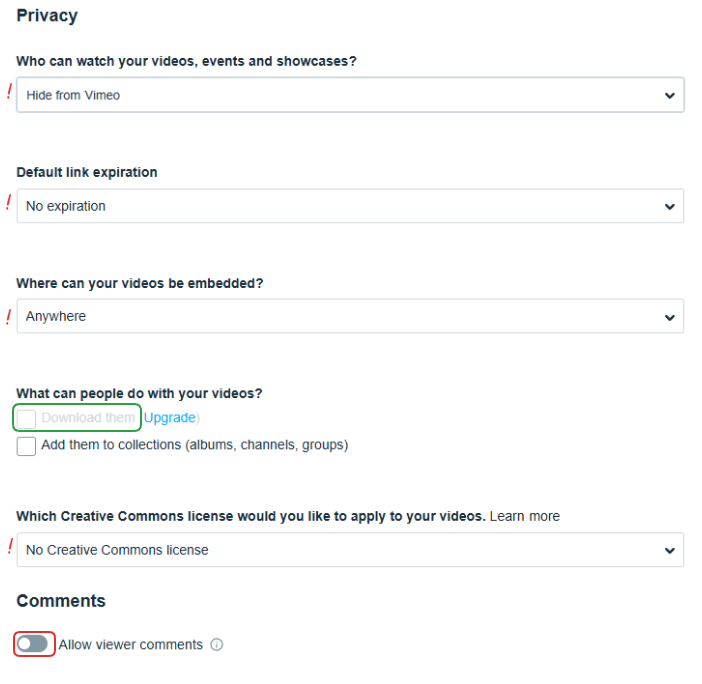
Some of the options might require you to have an upgraded account, such as allowing the videos to be downloaded. This can be helpful if your client wants to save them.
Make sure you allow embedding Anywhere, and that the comments are turned off. Additionally, "No Create Commons license" should be selected.
You may edit all of these options later, if needed.